Alipay Guide: Surviving Cashless China
Cash is basically dead in China. Learn how to bind your Visa/Mastercard to Alipay, use the built-in Uber (DiDi), and ride the subway like a local.
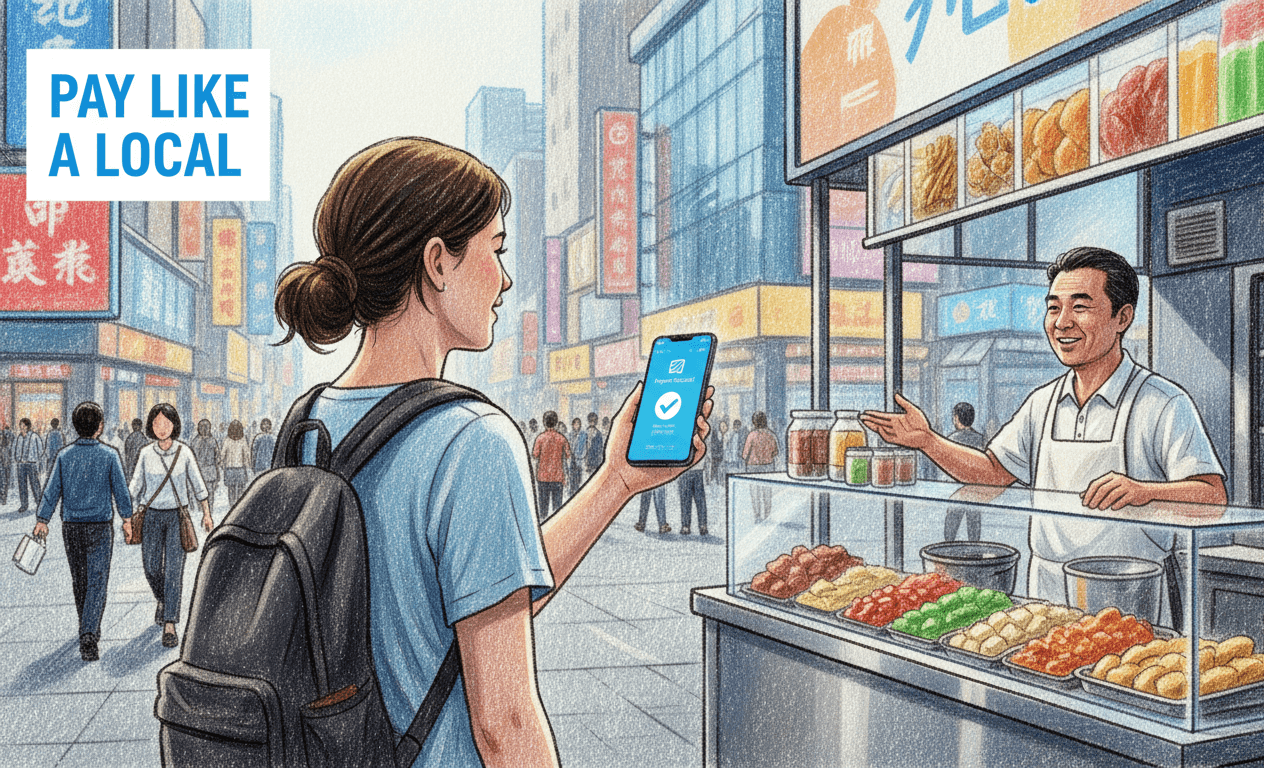
The "Super App" Secret 📱
Hey guys! If you only download ONE single app for your entire trip to China, it absolutely must be Alipay.
In the West, you might use Apple Pay for coffee, Uber for a ride, and a local transit card for the subway. In China, Alipay does ALL of this in one single app. It is what we call a "Super App," and it is your golden ticket to surviving and thriving in a completely cashless society.
Let’s break down exactly how to set it up, avoid the common pitfalls, and unlock its hidden features so you can travel like a true local!
💳 Step 1: The Setup (Do This BEFORE You Fly!)
🚨 Critical Warning: Do NOT wait until you land to do this! You need to receive an SMS verification code, and your home bank might send a fraud alert when you add your card. Setting it up on your home Wi-Fi is 100x easier.
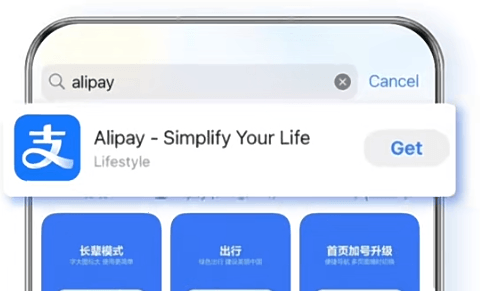
- Download & Register: Search for "Alipay" in your App Store or Google Play Store. You highly recommend registering with your foreign phone number. You will need this number later to use the ride-hailing features. Alipay will detect the foreign number and automatically switch to the English-friendly "International Version".
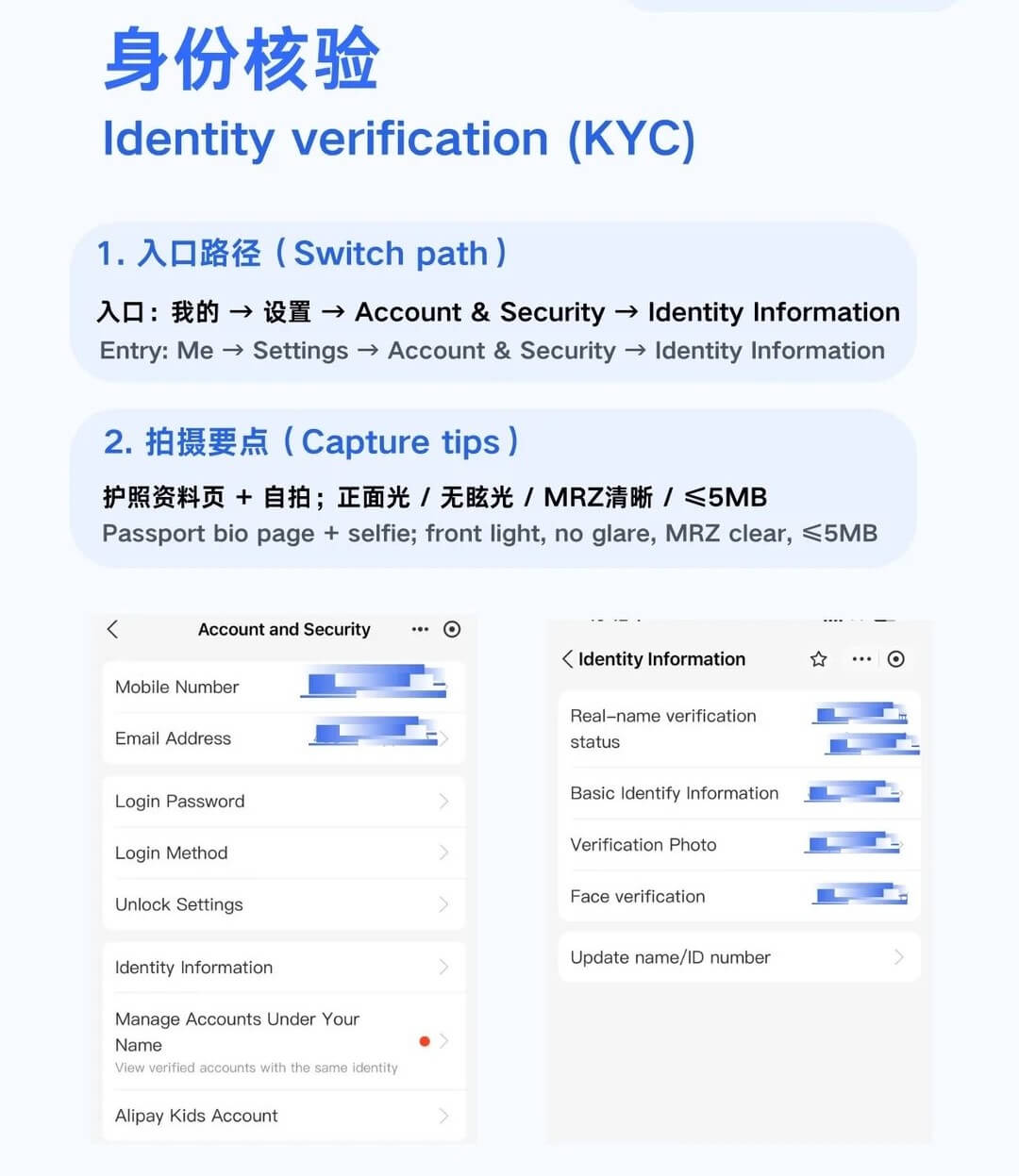
- Identity Verification (Crucial): To unlock payments, Chinese financial regulations require real-name registration. You must verify with your passport.
- Go to Account → Settings → Account & Security → Identity Verification.
- Upload a photo of your passport (main page + entry stamp page).
- Do a quick facial scan in a well-lit area. (Note: This must be done by yourself, no one can do it for you!)
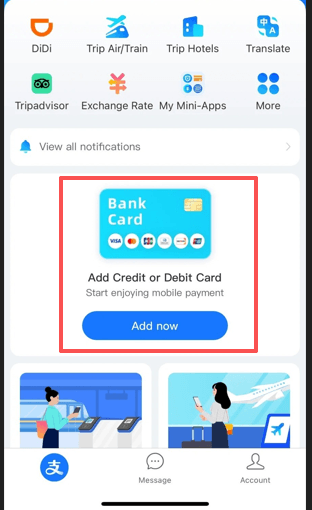
- Add Card: Tap "Account" in the bottom right corner, then tap "Bank Cards". Add your Visa, Mastercard, JCB, or Discover card.
- ** Pro Tip:** The name on your credit card MUST match the name on your verified passport exactly.
- ** Backup Plan:** We strongly recommend adding at least two different credit cards to Alipay. If one bank suddenly blocks a transaction for fraud protection, you can instantly switch to the other card without being stranded.
💰 Step 2: How to Pay (Scan or Be Scanned)
Once your card is bound, paying for things is incredibly fast. There are two main ways to do it:
Scenario A (They Scan You): At supermarkets, convenience stores, or fast-food chains, tap the "Pay/Collect" button at the top of the app. A barcode will appear. Simply show your screen to the cashier, they scan it, and you're done!
Scenario B (You Scan Them): At small street food carts, local markets, or tiny shops, tap the "Scan" button. Point your camera at their printed QR code, type the amount yourself, and hit pay.
💎 The "200 RMB Rule" (How to save money!): Here is the golden rule every traveler needs to know:
- Transactions under 200 RMB (approx. $28 USD): 0% transaction fee! 🎉
- Transactions over 200 RMB: A 3% transaction fee is applied by Alipay.
- Bonus: If you happen to have a UnionPay (银联) card, there are absolutely no transaction fees regardless of the amount!
Pro Hack: If you are buying a souvenir or a meal for 500 RMB, simply show the vendor your translation app and ask: "Can I split this into three separate scans?" They do this for foreigners all the time, and it saves you the 3% fee!
🚗 Step 3: Beyond Payments (Transport & DiDi)
Alipay isn't just a wallet; it's your ultimate transport hub.
1. Ride-Hailing (DiDi - The Chinese Uber) You don't need to download a separate ride-hailing app! Right on the Alipay homepage, tap the orange "DiDi Travel" icon (it looks like a little orange 'd'). It has a full English interface.
- Crucial Setup: Ensure you have enabled Location Services (GPS) for Alipay.
- Do NOT Search: Do not type "DiDi" in the top search bar. Only click the official "DiDi Travel" icon directly on the homepage.
- Check Your City: Always check the top left corner of the DiDi interface to ensure it has automatically detected the correct city you are currently in.
- Search and enter your destination in English.
- A driver picks you up. ALWAYS verify the license plate number before getting in! This is the most important safety and practical step.
- Because your foreign credit card is already linked to Alipay, the fare is automatically deducted when you exit the car. No cash, no language barrier! Just say "Thank you" and leave.
- Tip: Drivers usually ask for the last 4 digits of your phone number to verify you are the right passenger. If they try to call your foreign number and it doesn't connect, don't worry! You can use the in-app chat feature to text them—it will automatically translate between English and Chinese.
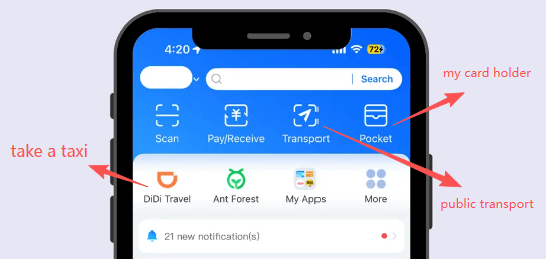
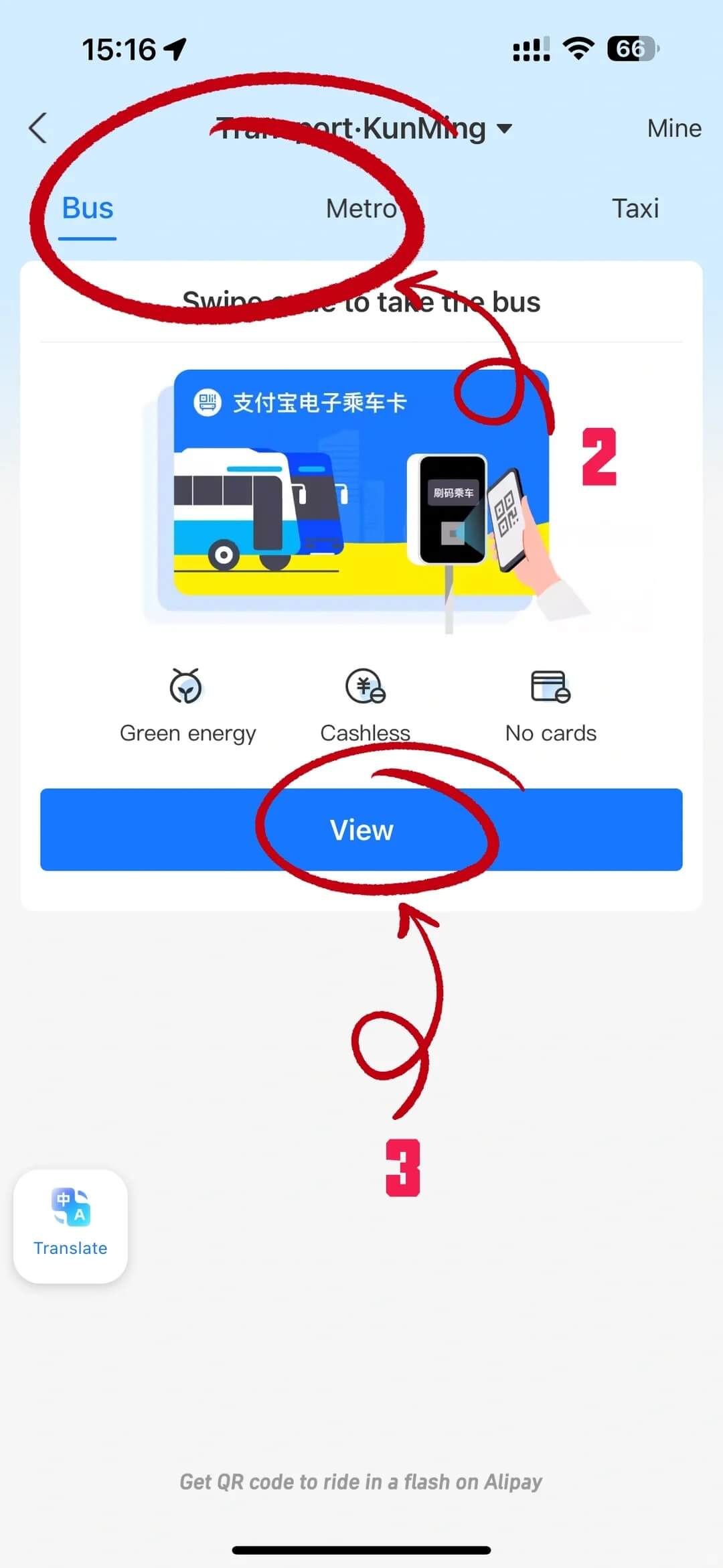
2. Subway and Bus Codes Want to ride the public transport like a local? Tap the "Transport" button at the top of Alipay.
- Select the city you are currently in.
- Click "View" or "Get Now" to generate a "Transit QR Code" and agree to the terms/authorization.
- How to Scan: Just scan this code at the subway turnstile or when hopping on a bus.
- Important Rules: You CAN use your bus code to scan multiple times for your friends or family on a normal city bus. However, at a subway turnstile or on a distance-based bus where you must scan when boarding and scan again when getting off, each person MUST use their own phone and their own account.
- Note on City Policies: Because public transport is managed independently by each city, some smaller cities might not support foreign credit cards for transit codes. If you encounter an error saying you cannot open the transit card, your best backup plan is to carry some small change (1 RMB coins/notes) for the bus, or go to the subway "Service Center (服务台)" to buy a physical token with cash or by scanning the merchant QR code.
FAQ
Q: Can I transfer money to friends using my international credit card?
A: No. International credit cards bound to Alipay can ONLY be used for merchant payments (scanning a store's QR code or paying inside a mini-program). You cannot use them to transfer money to personal accounts, send red envelopes, or top-up your Alipay balance. Also, do not accept money transfers from others! The money will sit in your Alipay "Balance" but you likely won't be able to spend it or withdraw it without a Chinese bank account. If you really need to transfer money, the other person must use international remittance services.
Q: Why should I avoid making large purchases (over 200 RMB) with Alipay?
A: There are two main reasons. First, any transaction over 200 RMB incurs a 3% fee. Second, and more importantly, making sudden large purchases with a foreign credit card triggers Alipay's automated Risk Control system. Your account might get temporarily frozen to prevent fraud. The unblocking appeal process is a massive headache. If you are buying something expensive, use a physical credit card, use cash, or ask the vendor to split the bill into multiple smaller scans.
Q: What if my Alipay fails at a small street vendor?
A: Sometimes, very small street carts use personal QR codes instead of official merchant QR codes, which might reject foreign credit cards. This is exactly why you must always carry some physical cash (RMB) as a backup!
Q: International Version vs. Domestic Version?
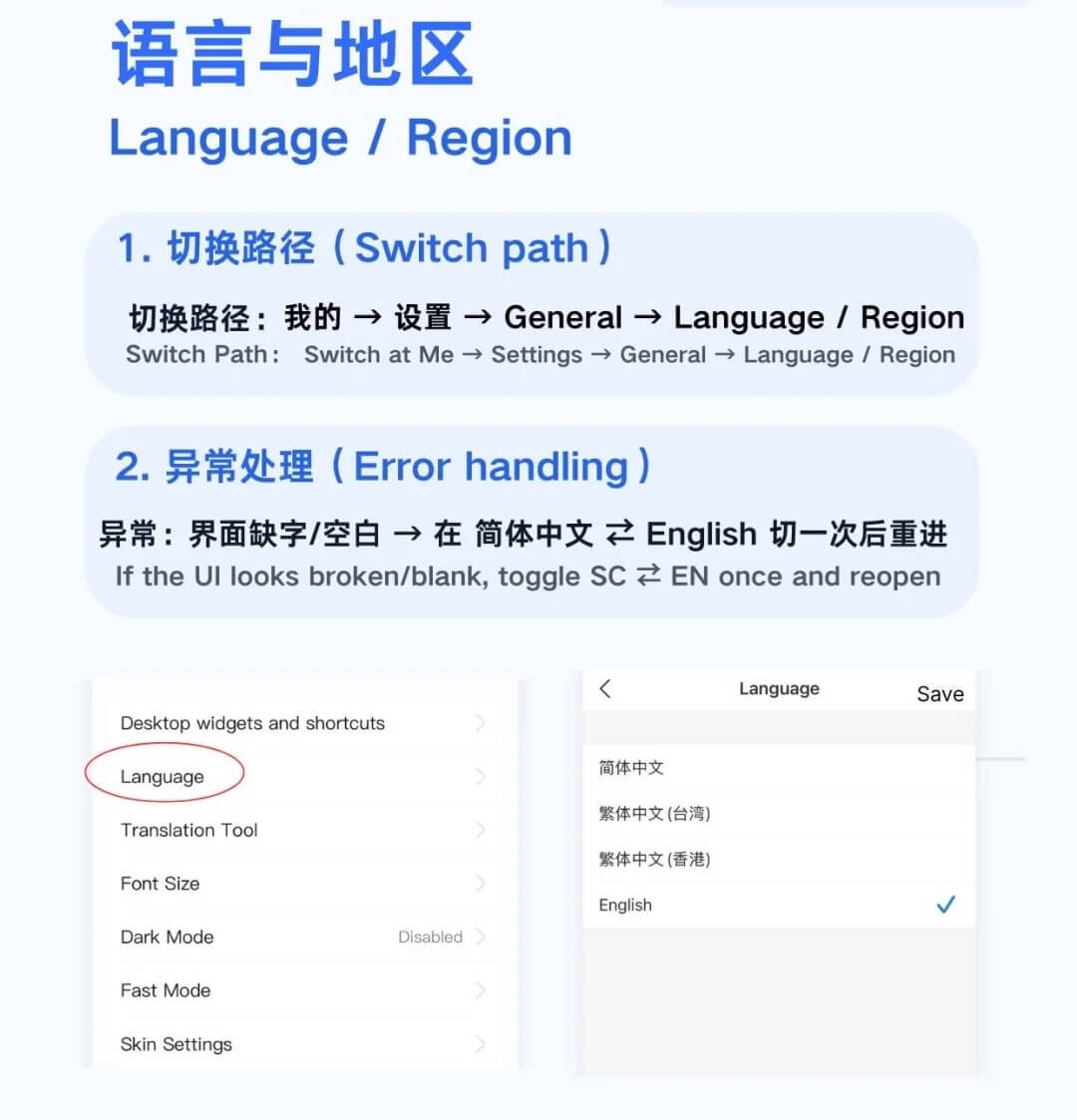
A: When you register with a foreign phone number, Alipay defaults to the "International Version". This is a streamlined, English-friendly interface designed specifically for tourists. However, it does restrict some advanced local features (like sending red envelopes/money transfers to friends or certain investment products).
If you have a Chinese (+86) phone number AND a Chinese bank account: You can (and should) switch to the "Standard/Domestic Version" (Go to Account → Settings → Switch Version). This unlocks the full power of Alipay, including transfers and red envelopes.
Q: My payment failed and said "Risk Control". What do I do?
A: This is the most common hiccup! Usually, it's not Alipay blocking you, but your home bank thinking your card was stolen because it suddenly sees a transaction in China. Always call your bank before your trip to tell them you are traveling to China. If Alipay blocks it, there is an English customer service help desk inside the app that resolves issues very quickly.
Q: Can I use Alipay to book hotels or flights?
A: Alipay has mini-programs like "Fliggy" to book hotels and trains. However, for hotels, we still strongly recommend using Western platforms like Booking.com or Trip.com to ensure the hotel is legally permitted to host foreigners (not all local hotels are!).
Q: Do I need WeChat Pay too?
A: Yes, it's highly recommended as a backup! Setting up WeChat Pay follows a similar process. Sometimes a vendor's Alipay code might be broken, so having WeChat Pay ready ensures you are never stranded. Please note: Alipay and WeChat are two completely different, competing apps. You cannot scan a WeChat QR code using the Alipay app, and vice versa! I will create a separate guide specifically for WeChat soon.
© Copyright Notice
This article is originally published by China Fixer. All rights reserved. Unauthorized reproduction, scraping, or commercial use of this content is strictly prohibited.
If you wish to share this guide, please use the original link: https://cnfixer.xyz/de/guides/alipay-masterclass-guide
Haben Sie Fragen?
Wenn Sie etwas nicht verstehen, fragen Sie bitte unten im Kommentarbereich, und ich werde sofort antworten!
Authentic guide by a local who has lived & traveled extensively across China.
Last updated: 2026